Free SC-500 Exam Braindumps
Implementing End-to-End Security Controls for Cloud and AI Workloads Questions 47–51 (page: 12)

Updated On: 23-Oct-2026
View Related Case Study

You have an Azure subscription that contains a managed identity named Identity1 and the Azure key vaults shown in the following table.

KeyVault1 contains an access policy that grants Identity1 the following key permissions:
● Get
● List
● Wrap
● Unwrap
You need to provide Identity1 with the same permissions for KeyVault2. The solution must use the principle of least privilege.
Which role should you assign to Identity1?

  1. Key Vault Reader
  2. Key Vault Crypto User
  3. Key Vault Crypto Service Encryption User
  4. Key Vault Crypto Officer

Answer(s): C

Explanation:

Key Vault Crypto Service Encryption User grants key read permissions, covering Get and List, together with Wrap and Unwrap operations. Assigning this role to Identity1 at the KeyVault2 scope provides the required key permissions while following least


View Related Case Study

You have an Azure key vault named Vault1 that stores the resources shown in the following table.
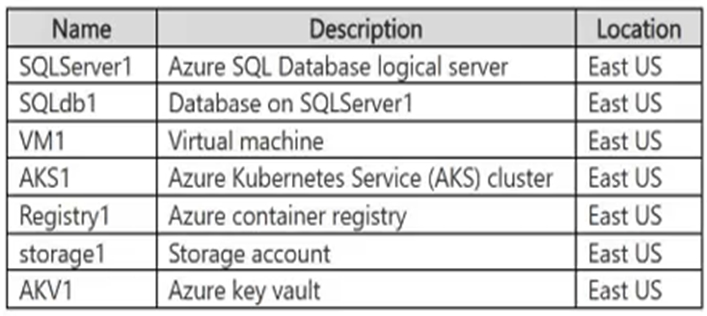
Which resources support the creation of a rotation policy?

  1. Key1 only
  2. Cert1 only
  3. Key1 and Secret1 only
  4. Key1 and Cert1 only
  5. Secret1 and Cert1 only
  6. Key1, Secret1, and Cert1

Answer(s): A

Explanation:

Key1 supports a rotation policy that configures automatic creation of new key versions at specified intervals and notifications before expiration. The policy is defined for the individual cryptographic key.


Reference:

https://learn.microsoft.com/en-us/azure/key-vault/keys/how-to-configure-key-rotation


View Related Case Study

HOTSPOT (Drag and Drop is not supported)
You have a Microsoft Entra tenant that contains the users shown in the following table.

From Microsoft Entra Privileged Identity Management (PIM), you configure the settings for the Security Administrator role as shown in the following exhibit.

From PIM, you assign the Security Administrator role to the following groups:
Group1: Active assignment type, permanently assigned
Group2: Eligible assignment type, permanently eligible
For each of the following statements, select Yes if the statement is true. Otherwise, select No.
Note: Each correct selection is worth one point.
Hot Area:

  1. See Explanation section for answer.

Answer(s): A

Explanation:


No
Yes
No
User1: Membership in Group1 provides a permanently active assignment. The five-hour limit specifies how long an eligible assignment remains active after activation; it is not a deadline for activation.
User2: Membership in Group2 provides permanent eligibility. Because activation does not require approval, User2 can activate the role immediately for up to five hours.
User3: Membership in Group1 already provides the permanently active role. The additional eligibility through Group2 does not require or permit another activation of the same already-active role.


Reference:

https://learn.microsoft.com/en-us/entra/id-governance/privileged-identity-management/pim-how-to-change-default-settings https://learn.microsoft.com/en-us/entra/id-governance/privileged-identity-management/pim-configure?WT.mc_i d=AZ-MVP-5004810
https://learn.microsoft.com/en-us/rest/api/authorization/includes/privileged-role-common-errors


View Related Case Study

You have a Microsoft Security Copilot workspace named Workspace1 that is used by Security Operations Center (SOC) analysts and security administrators.
The SOC analysts use only the Security Copilot standalone experience, and the security administrators access Security Copilot from the Microsoft Defender portal.
A new Security Copilot workspace named Workspace2 is created for the security administrators. Workspace2 is assigned a capacity of five security compute units.
You need to ensure that Security Copilot usage for the SOC analysts is allocated to Workspace1 and Security Copilot usage for the security administrators is allocated to Workspace2.
What should you do?

  1. Configure Workspace2 for embedded agent traffic.
  2. Increase the capacity of Workspace2.
  3. Assign the Workspace1 capacity to Workspace2.
  4. Configure Workspace1 for embedded agent traffic.

Answer(s): A

Explanation:

To achieve this configuration, you must set the new workspace as the default workspace in the Microsoft Security Copilot portal.
*-> Embedded Portal Behavior: Embedded experiences (such as accessing Security Copilot directly within the Microsoft Defender portal, Microsoft Entra, or Intune) are hardcoded to automatically route all queries and compute usage to whichever workspace is configured as the Tenant Default Workspace.
Standalone Portal Behavior: SOC analysts using the standalone experience (via securitycopilot.microsoft.com) have the interface flexibility to manually select their active workspace from the top-right environment selector or default to their last-used workspace.


Reference:

https://learn.microsoft.com/en-us/copilot/security/auto-provisioning-security-copilot


View Related Case Study

DRAG DROP (Drag and Drop is not supported)
You have an Azure subscription that contains an Azure app service web app named App1.
You plan to configure a Conditional Access policy for App1. The solution must meet the following requirements:
Only allow access to App1 from Windows devices.
Only allow devices that are marked as compliant to access App1.
Which Conditional Access policy settings should you configure? To answer, drag the appropriate settings to the correct requirements. Each setting may be used once, more than once, or not at all. You may need to drag the split bar between panes or scroll to view content.
Select and Place:

  1. See Explanation section for answer.

Answer(s): A

Explanation:


Conditions
Grant
Conditions contains the Device platforms setting. To enforce Windows-only access, use this condition in a blocking policy that includes all platforms and excludes Windows.
Grant contains Require device to be marked as compliant, which requires a valid device compliance status before access is granted.


Reference:

https://learn.microsoft.com/en-us/entra/identity/conditional-access/concept-conditional-access-conditions https://learn.microsoft.com/en-us/entra/identity/conditional-access/concept-conditional-access-grant


Viewing page 12 of 43
Viewing questions 56 - 60 out of 207 questions


Post your Comments and Discuss Microsoft SC-500 exam prep with other Community members:

AI Tutor AI Tutor 👋 I’m here to help!